

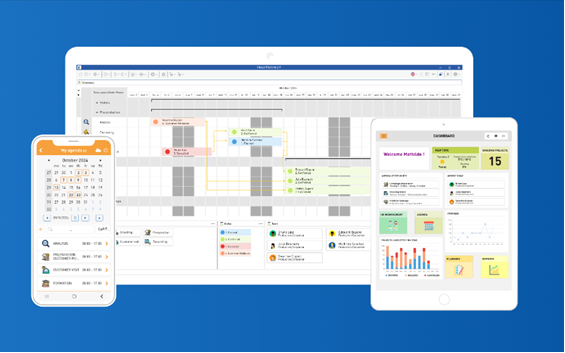
Visual Planning is taking off with version 9. Discover the latest version of our multidimensional resource planning software.
Visual Planning 9 offers consistent further development in terms of functionality and user-friendliness. Planners, dispatchers and teams have quick, transparent and intuitive access to planning data and processes. Tasks can be organised even more efficiently.
AN OVERVIEW OF SELECTED FEATURES New features and a revamped UX design for the mobile access platforms VPPortal and VPGo; VPDocumentum for EDM-oriented features in VPDesk; a host of ‘small’ features with a big impact in VPDesk: ‘Today’ button, expandable utilisation plans, notification centre, and much more. Security: addition of MFA (multi-factor authentication) management and anonymisation functionality. Integration: support for webhooks and JSON formats
Visual Planning 9 stands out thanks to its cross-platform functionality with VPDesk (PC application) and the mobile modules VP Portal (Browser) and VP GO (App). The licence types currently available for editors, viewers and mobile access remain unchanged.
Discover new ways to make your resource planning even more powerful and user-friendly.
Please contact us – we are here to help.
VP PORTAL – web-based access to planning
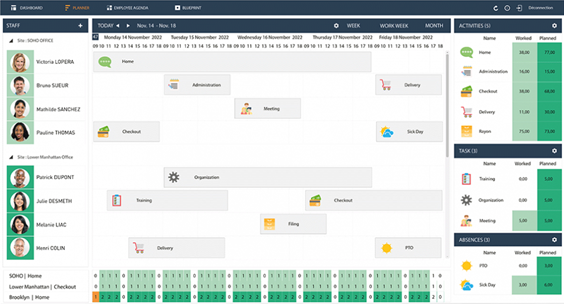
There is some exciting news in version 9, particularly for users of VP Portal. This makes working with Visual Planning from any location even more convenient:
- New look and feel: A complete overhaul of the user interface ensures a modern, uncluttered and appealing look.
- Extension using the KendoUI Framework: Thanks to the integration of the latest generation of the KendoUI JavaScript framework, you benefit from a smoother and more powerful application.
- Multi-view function: You can now position views flexibly – at the top, bottom, left or right – and customise your working environment to suit your needs.
- Continuous scrolling in the planning views: Experience seamless scrolling for a significantly improved overview and user experience.
New map view (geolocation): With the new map view, you can geolocate events and display content based on external information (e.g. URLs).
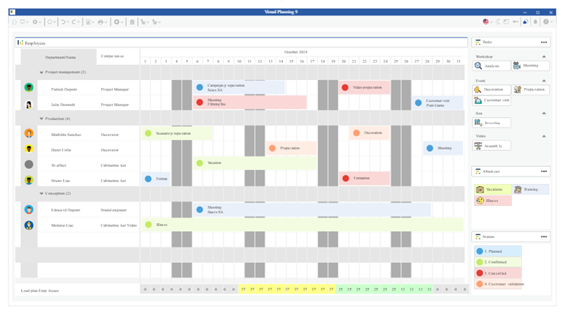
VP Desk – the comprehensive PC application
Visual Planning 9 – your multi-dimensional planning tool, tailored specifically to your business and its resource management requirements, team-oriented and intuitive. The classic PC application also boasts new features. Here are a few examples: A fresh ‘look and feel’ whilst ensuring high recognisability of the previous version
Highlight selected events in a single row of your own planning view
Terms and conditions with individual Icons as a warning signal
Asynchronous synchronisation parallel planning views based on two different sets of data
Simplified display and accessibility of information by saving views or clicking on the ‘Today’ button
PDF documents Convert to PDF/A directly from Visual Planning and sign documents directly from Visual Planning
New JSON formats for import/export
Visual Planning 9 – your multi-dimensional planning tool, tailored specifically to your business and its resource management requirements, team-oriented and intuitive.
New features in VP 9 – available as a PDF download
Training information
Juliane Lamm
AHAG-Unternehmensberatung GmbH & Co.KG
Visual Planning sales partners
Tel: +49 251 149899 19
Link to registration
Dates
21./22.02.2024
23.04.2024
14./15.05.2024
12.06.2024
21./22.08.2024
09.10.2024
13./14.11.2024
26.11.2024