

Visual Planning – your advanced software for efficient staff scheduling
Visual Planning® supports companies with centralised staff scheduling and provides transparency regarding availability, absences, appointments and workload. Staff and teams can be clearly assigned to tasks, projects, clients or work locations and quickly rescheduled in the event of changes.
Duty roster or joint staff deployment planning?
A duty roster planner may be sufficient, if you mainly allocate staff to shifts, take working hours and absences into account, and your existing solution covers all the necessary rules, approvals and changes. Even with multiple teams, an additional system is not required simply because of the size of the company.
Visual Planning® is particularly interesting, when staff with specific qualifications are allocated to varying jobs, projects or work locations, whilst machines, equipment or vehicles must also be available. In such cases, it is not just the shift staffing that is considered, but the complete resource allocation for the operation. The calendars, qualification criteria and planning views described here are configured accordingly.
For example, check what happens if a staff member reports sick whilst an assignment has already been scheduled: who can take over, what qualifications are required, and will the vehicle and equipment remain available? Whether conflicts are automatically flagged depends on the data and rules that have been configured. You should test any existing functions of your duty roster or project management tool within the same workflow.
The Joint resource planning involving staff, machinery and vehicles explains this relationship using a simplified example. A documented use case is described by the WALO Case Study on Staff and Stock Planning from August 2018. Further Selection criteria for duty rosters, ERP/PPS and project tools can be found in the product overview.
Staff deployment planning is a key success factor for companies with changing teams, shifts, projects or work locations. Visual Planning® helps planning managers to coordinate staff, skills, absences, tasks and available capacity in a centralised and clear manner.
Changes can be tracked directly on the digital planning board and, depending on the configuration, edited using drag-and-drop. This provides planning, project management and other authorised users with a common basis for their resource planning.
Benefits of staff deployment planning with Visual Planning®
- Centralised resource planning: Staff, teams, shifts, projects and tasks are displayed in a single planning view.
- Overview of availability: Working hours, absences and existing assignments can be taken into account during planning.
- Include qualifications: Skills, training, certificates or other employee attributes can be stored, depending on the configuration.
- Flexible rescheduling: Appointments and resource allocations can be adjusted in the event of cancellations, postponements or new requirements.
- Drag-and-drop: Employees can be clearly assigned to tasks, shifts, locations or projects.
- Configurable views: Daily, weekly, monthly and other time views can be configured according to the respective planning scenario.
- Warnings and planning rules: Double bookings, overlaps and lack of availability can be highlighted, depending on the defined rules .
- Reports and dashboards: Utilisation rates, capacities and other planning data can be displayed in configurable reports.
- User and access rights: Information and editing options can be restricted in line with the tasks of the respective users.
- Integration of existing systems: Depending on the specific project, data can be imported from or exported to third-party systems via interfaces.

Try Visual Planning® for free
Discover the possibilities of a customised staff deployment planning solution.
An overview of staff resource planning with Visual Planning®
The right person in the right place at the right time
The key question in staff deployment planning is: Which staff members and skills are required at what time, at which location or for which project ?
With multiple teams, locations, tasks and shifts, this coordination quickly becomes complex. In addition, absences, working time models, qualifications, training and other operational requirements must be taken into account.
Visual Planning® brings this information together in a configurable planning view. This enables planning managers to compare current allocations and available capacities.
Employees can be assigned to projects, tasks, shifts, locations or teams using drag-and-drop. The rules and checks that are automatically applied in this process are defined as part of the specific system configuration.
Changes to the schedule are made centrally and are available to authorised users. This means there is no need to maintain several different Excel files or versions of the duty roster .
A flexible tool for staff resource planning
Visual Planning® is configured in line with the organisation’s requirements. Fields, views, status indicators, colours, planning rules and reports can be adapted to the respective processes.
Depending on the area of application, it is possible to schedule, amongst other things, staff, teams, tasks, projects, positions, shifts, locations and other resources.
The graphical display makes it easier to identify bookings, free capacity and time overlaps. Assignments can be easily adjusted using drag-and-drop .
Qualifications, certifications, absences or working time information can be taken into account as planning criteria. Which data is managed or imported from other applications depends on the specific project.
Different timeframes and views enable detailed daily planning as well as a longer-term capacity or project overview.
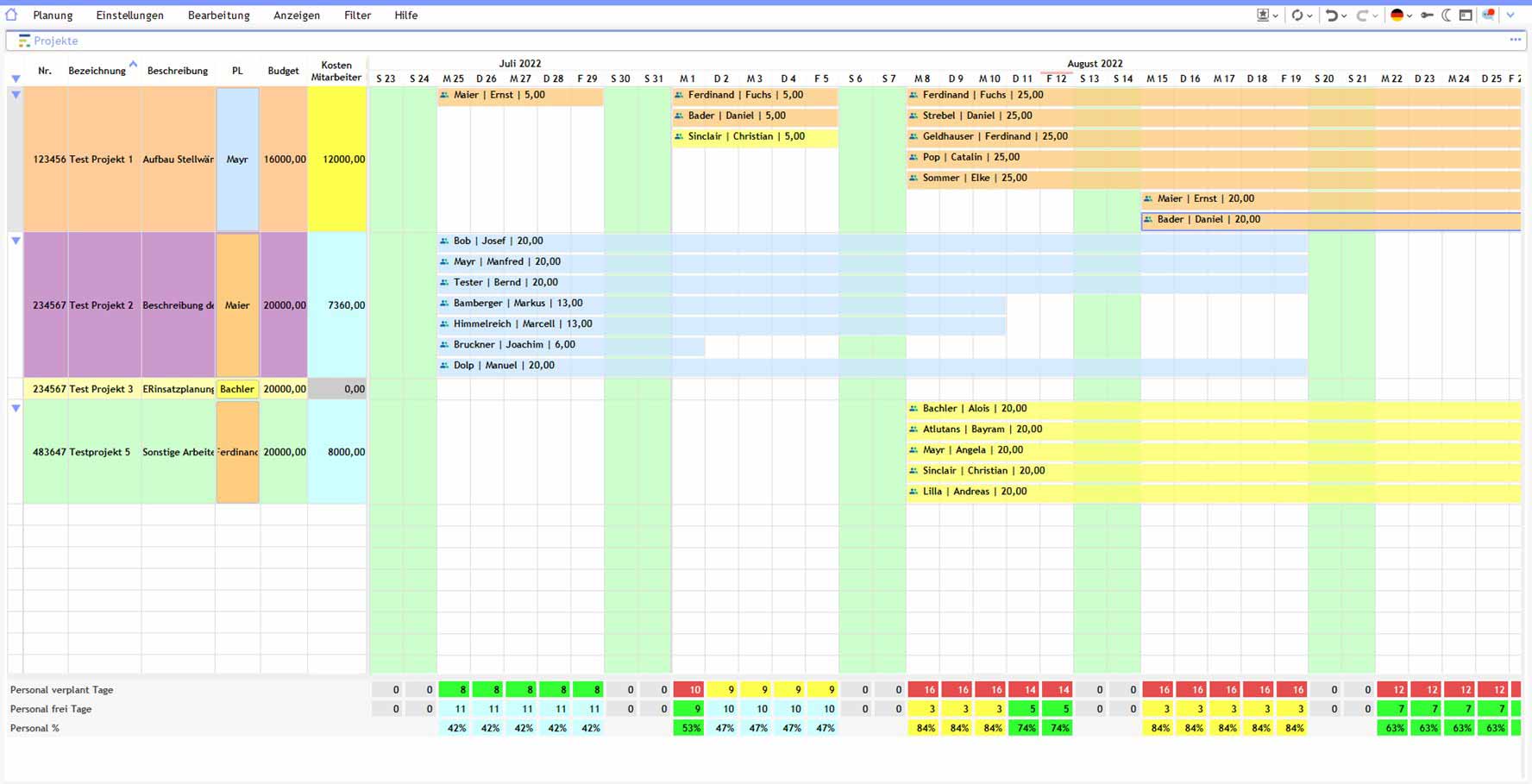
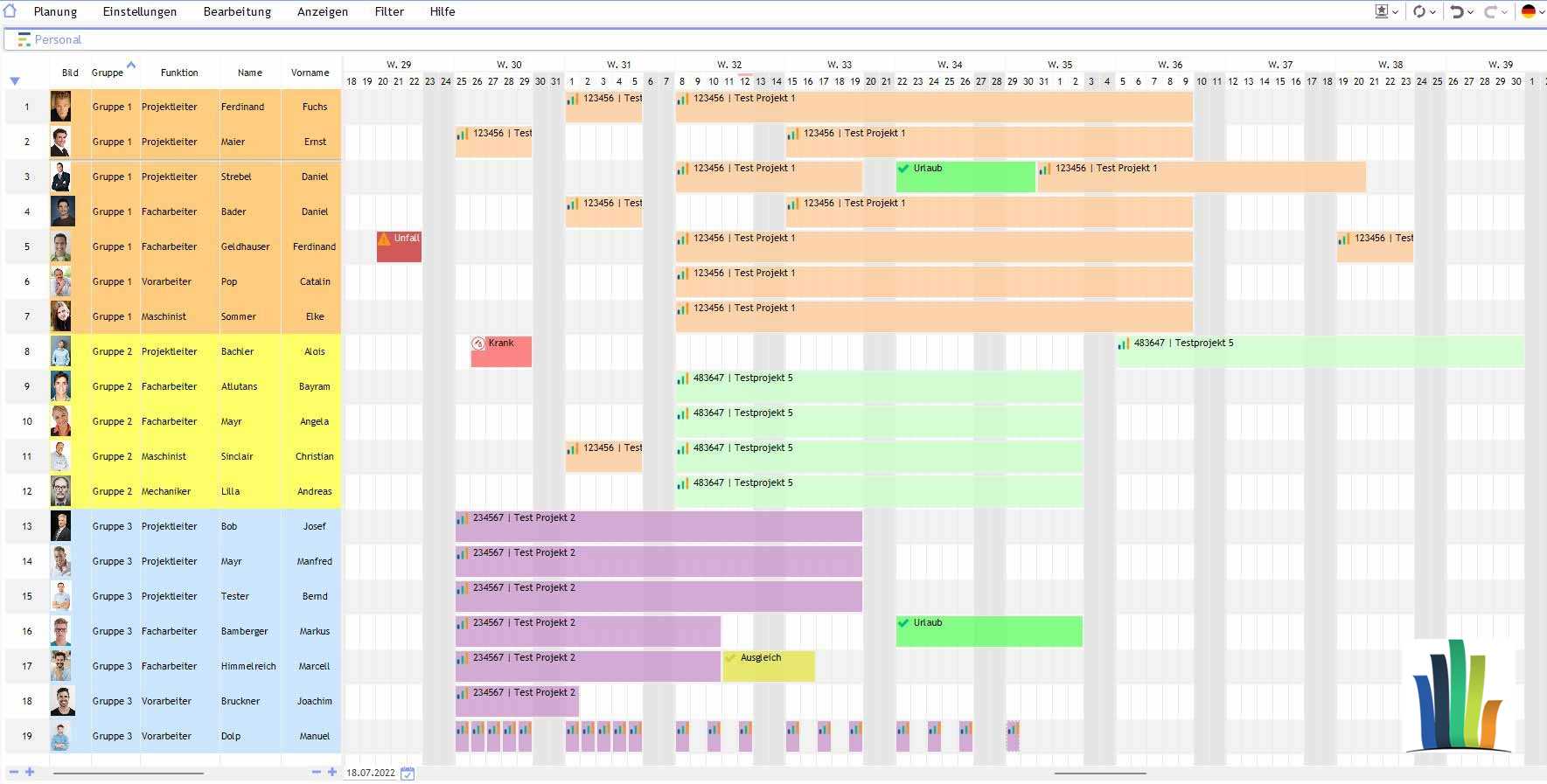
View staff, projects and capacities together
Planning managers can display relevant information such as working hours, absences, available capacity and existing assignments in a single overview.
Depending on the configuration, hourly, daily, weekly or monthly views can be used. This makes the software suitable both for short-term changes to deployment and for longer-term staff and capacity planning.
Capacity utilisation views help to identify free capacity and potential overloads. However, they are no substitute for the professional judgement of the relevant planning managers.
Planning views can be structured depending on the desired perspective. For example, employees can be displayed in the rows and projects in the columns, or vice versa.
Visual Planning® can be deployed as an on-premises installation or in a hosted system environment. The appropriate operating and licensing model depends on the technical and organisational requirements.
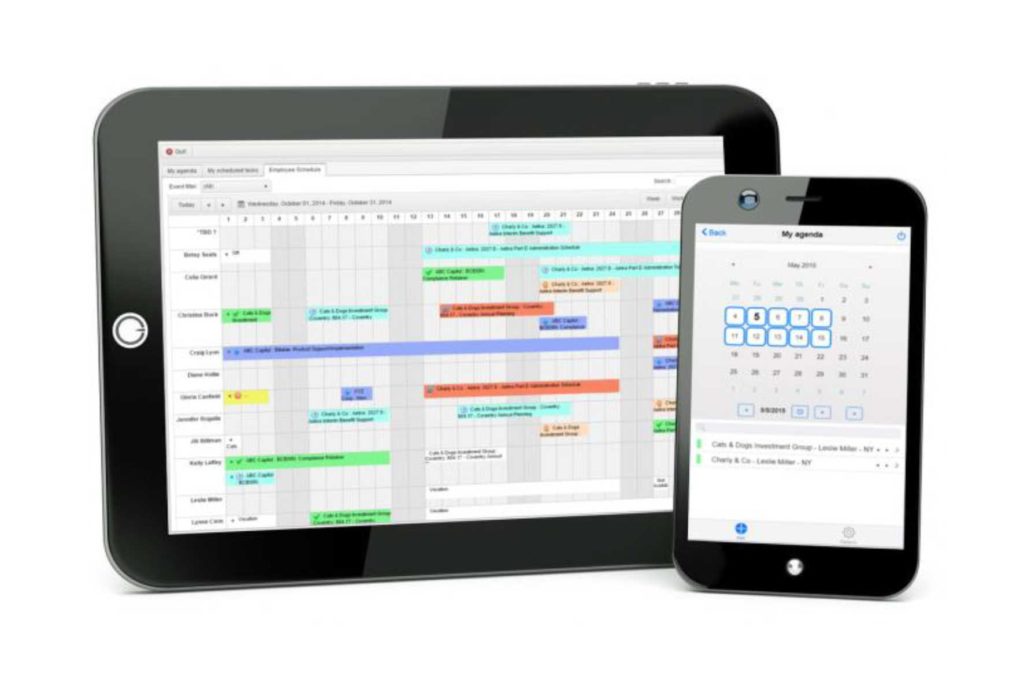
Staff scheduling in the browser and on mobile devices
Visual Planning® supports collaborative work between multiple authorised users. Which employees are permitted to view or edit specific information is governed by user and access rights.
With VPPortal Approved planning information can be made available via a web browser.
About VPGo Selected information and functions can be accessed on suitable mobile devices, depending on the licence, configuration and system environment.
This enables employees, team leaders and other authorised users to access approved assignment information or enter defined feedback even when away from a fixed workstation.
Whether a function is available online or offline depends on the component used and the respective configuration.
Shop floor management and staff scheduling
In shop floor management, tasks, shifts, teams, machines and production areas must be coordinated with one another. A digital planning board provides a shared visual basis for this operational coordination.
Visual Planning® can bring together staff and tasks in configurable overviews. Status information, capacities, deadlines and other key figures can be displayed depending on the available data.
This provides team and shift managers with a clear overview of planned assignments. Changes and deviations can be recorded centrally and tracked by authorised users.
Which key figures and planning information are relevant for the respective shop floor management is determined as part of the requirements analysis and configuration.
Further information can be found on the page Shop floor management .
Frequently asked questions about digital staff scheduling
What is digital staff scheduling?
Digital workforce planning refers to the centralised planning and coordination of staff, teams, tasks, shifts, projects and available capacity using software.
What tasks does staff deployment planning involve?
This includes, amongst other things, resource planning, shift planning, project allocation, capacity planning and the consideration of availability, absences and qualifications.
Why is digital staff scheduling important?
It provides transparency regarding planned assignments and available capacity. Changes, bottlenecks and overlaps are thereby identified more quickly.
How does digital staff scheduling work?
Staff and teams are assigned to tasks, shifts, projects or locations on a digital planning board. Authorised users can edit the schedule centrally and use planning rules and alerts, depending on the configuration.
What are the benefits of digital staff scheduling?
It improves the overview of assignments, availability and capacity. Outages, schedule changes and new requirements can be taken into account centrally in the planning process.
Why is Excel often not sufficient for staff deployment planning?
With a large number of staff, concurrent projects and last-minute changes, discrepancies in spreadsheet data can quickly arise. Double bookings and dependencies must be checked manually.
What are the disadvantages of staff scheduling using Excel?
Changes often need to be updated across multiple files. This can lead to version conflicts, transcription errors and incomplete information.
How can staff be scheduled efficiently?
Staff can be assigned to tasks, teams, shifts or projects according to their availability, qualifications and existing assignments.
How can capacity bottlenecks be identified at an early stage?
Utilisation and capacity views compare planned bookings with available time slots. This makes potential bottlenecks visible as early as the planning stage.
How does digital staff scheduling prevent double bookings?
Existing resource allocations and availability are displayed centrally. Depending on the configuration, defined alerts can flag up any overlaps.
How does Visual Planning® support shift planning?
Shifts can be represented as schedulable time periods or appointments and assigned to employees or teams. Working time and shift rules must be configured in accordance with operational requirements.
How do you plan several teams at the same time?
Multiple teams, departments, projects or locations can be displayed in shared or interconnected views .
How does the software help with last-minute changes?
Sick leave, rescheduled appointments, new orders or changed priorities can be entered centrally and taken into account in resource planning.
How does workforce planning improve resource utilisation?
The central overview highlights available capacity and potential overloads. This provides planning managers with a better basis for allocating tasks and assignments.
How can holiday periods and absences be taken into account?
Absences can be entered as appointments or availability attributes or imported via an interface from another system.
Does the software automatically reduce overtime?
The software can display planned working hours and workload in a transparent manner. Whether and how overtime is calculated or checked depends on the data, rules and interfaces that have been configured.
Can the staff scheduling system be used on mobile devices?
Depending on the licence, configuration and system environment, information disclosed via VPPortal in the browser or via VPGo be made available on suitable mobile devices.
What are the benefits of a hosted staff deployment planning solution?
A hosted solution provides Visual Planning® in a centrally managed system environment. Access, data backup, interfaces and responsibilities depend on the chosen hosting model.
Which businesses would benefit from digital staff scheduling?
It is suitable for industry, manufacturing, construction, the skilled trades, services, field sales, customer service and other organisations with multiple employees, teams, shifts or concurrent projects.
How does digital staff scheduling improve transparency?
Assignments, appointments, teams and available capacity are displayed in a central planning view. Authorised users therefore work on the basis of a shared planning status.
How does digital staff scheduling reduce planning errors?
Centralised data management, traceable changes and transparent resource allocation overviews can help to reduce double bookings, data entry errors and communication problems.
Try the demo version of the Try the Visual Planning staff planning software for free!
We actively support you in finding a tailored software solution for staff deployment planning.
Staff deployment planning for construction, manufacturing and technical services
Requirements vary depending on the area of application. In the construction sector, staff and work teams are allocated to different building sites, equipment and deadlines. In manufacturing, shifts, skills and machine utilisation must be coordinated. In technical services, customer time slots, travel routes, on-call duties and experience with the equipment must also be taken into account.
Further information can be found in the Construction site planning, which Detailed planning in production and the Maintenance and repair planning. The case studies from WALO, HOMAG and GROB.