

A digital planning board is a graphical planning software programme that displays resources, orders and deadlines on a shared database. With Visual Planning®, you can plan staff, teams, machines, vehicles and projects in customisable views. Assignments can be changed using drag-and-drop; availability and bookings remain transparent to authorised users.
This product overview highlights features, modules and access paths. For your specific application, you will find more detailed information on the digital staff deployment planning, to operational resource planning software and to the Production planning.
When is Visual Planning® particularly suitable?
Visual Planning® is particularly worth considering when several types of resources need to be available simultaneously for the same order, when several planners access shared capacities, and when short-term changes are regularly rescheduled. Calendars, resource allocations, configurable views and planning rules support this process; the specific implementation depends on the data maintained and the configuration.
When is the existing software sufficient?
- Roster planner: If the main focus is on planning staff shifts, working hours and absences, and the existing solution reliably covers your rules and approval processes, it may be sufficient.
- ERP/PPS: If orders, capacities and all the necessary resources are already clearly planned and short-term changes can be handled efficiently, an additional planning board is not automatically necessary. Further reading: When ERP/PPS is sufficient and when a supplementary solution makes sense.
- Project tool: If the focus is on tasks, milestones and team responsibilities, and shared resources – including their availability – are already adequately mapped out, this project tool may be sufficient.
The key factor is a specific gap in the planning process, not the blanket superiority of one category of software. Examine a real-world order and a last-minute change in both solutions.
What sets collaborative resource planning apart?
A scheduled shift or an assigned project task does not necessarily indicate whether the required machine and vehicle are also available. In Visual Planning®, staff, machines and vehicles can be linked to the same assignment and time period and viewed from different perspectives. Configured alerts can highlight overlaps. This is an advantage over separate plans, but not a feature exclusive to this software compared with any other.
A documented example is provided by the WALO Case Study on joint staff and stock planning: The interview from August 2018 describes cross-site resource planning and transparency regarding available machines and lorries. These historical customer statements do not constitute a general guarantee of results. The underlying Functions of operational resource planning We will explain this separately.
Digital planning board: functions, modules and deployment



Visual Planning® as a flexible planning platform
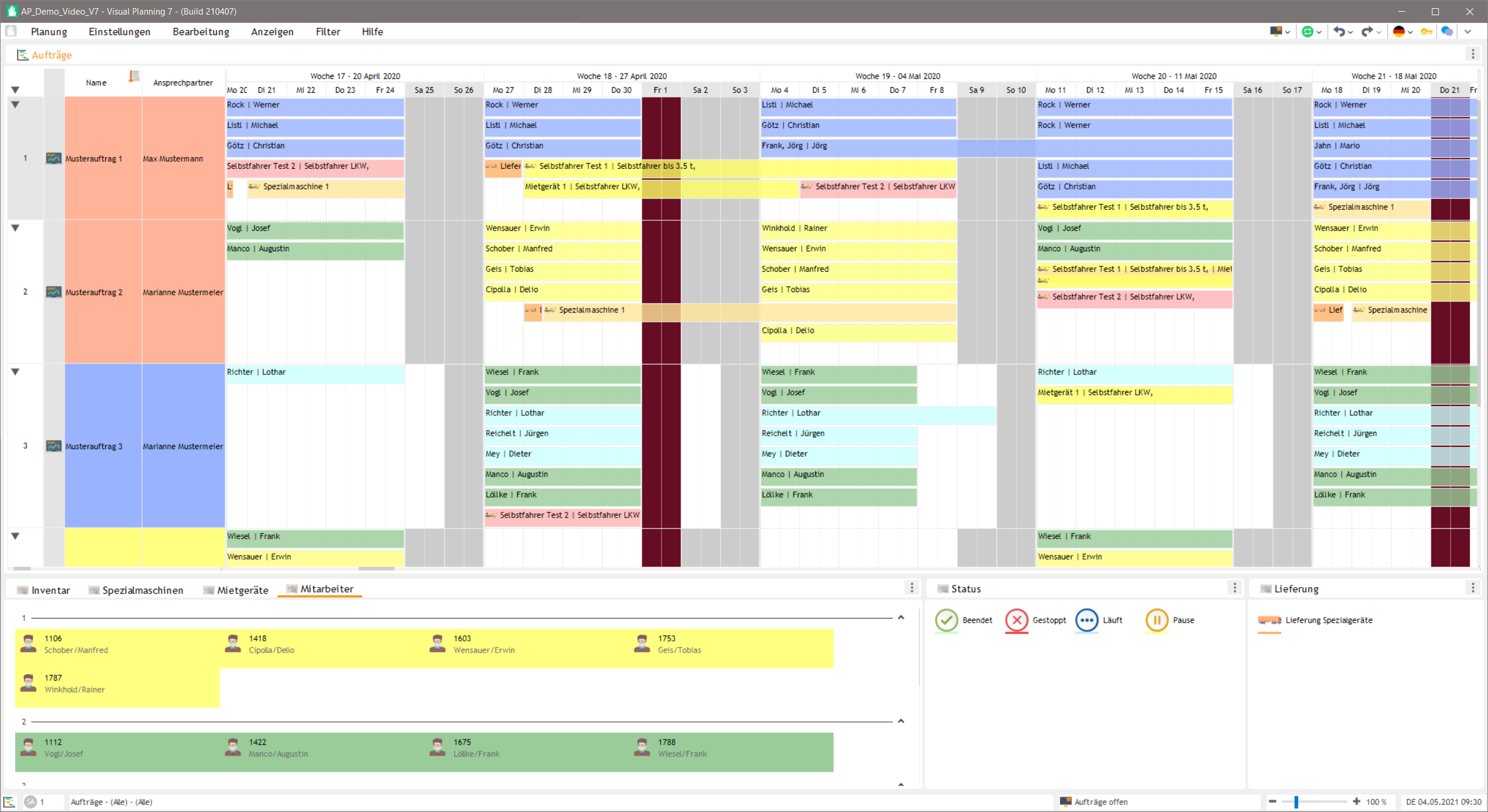
How many staff are required for a job, a construction site or a project? Which vehicles, machines or rooms are available? Visual Planning® brings this information together in a centralised digital planning board.
Staff, projects, machinery, vehicles, rooms and other resources can be clearly planned and linked together . Planning managers are provided with an up-to-date overview of deadlines, capacities, utilisation rates and dependencies.
Visual Planning® is suitable, amongst other things, for Project planning , Staff deployment planning , Production planning , Machine planning and Fleet planning .
Depending on requirements, the software can be operated as a hosted solution or within the organisation’s own IT infrastructure.
Try Visual Planning® for free
and try out the digital planning board
Simple resource planning with a digital planning board
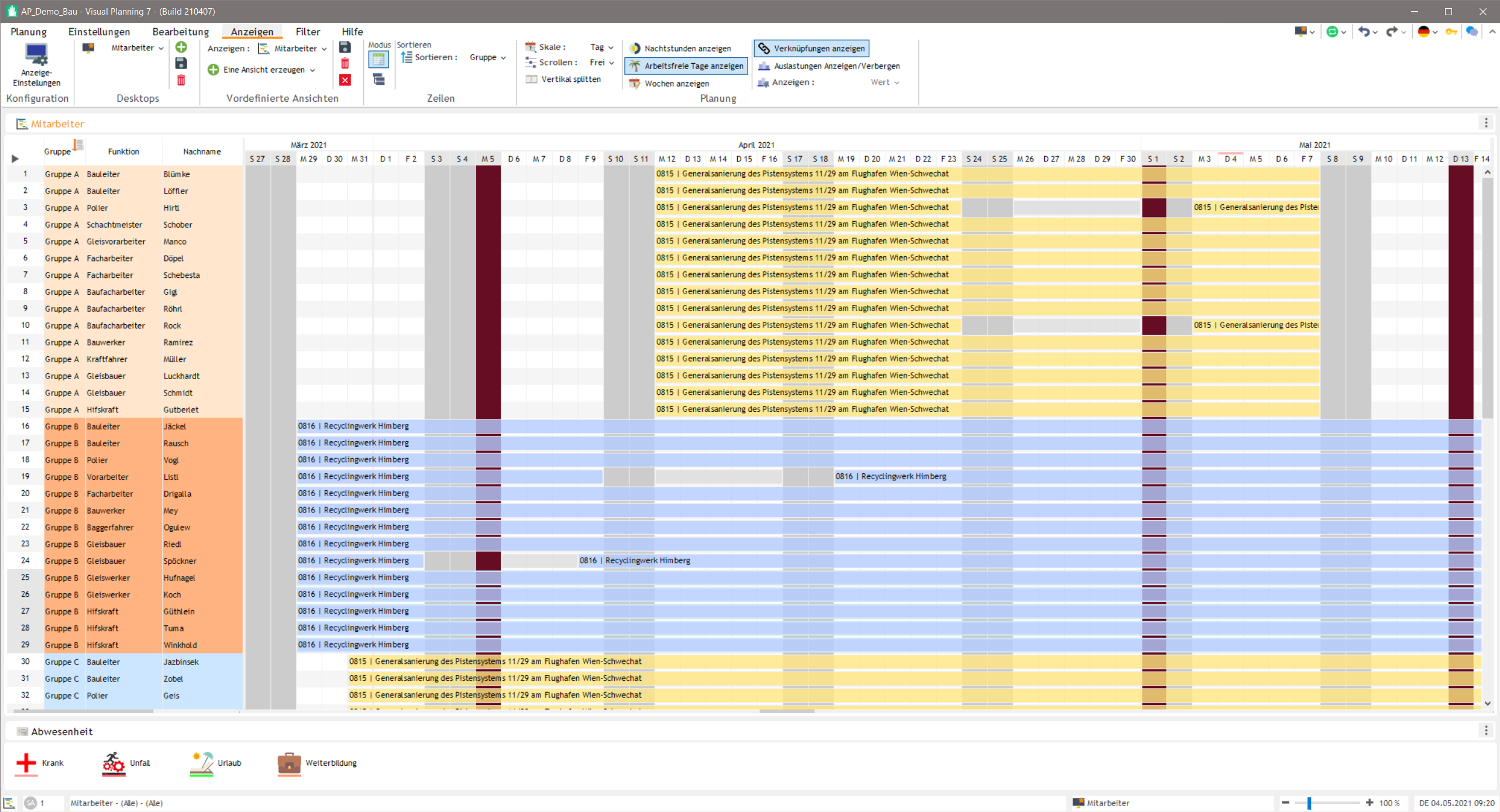
Visual Planning® displays staff, machines, vehicles, rooms, projects and other resources in a single graphical planning view. This makes it easy to quickly identify availability, bookings and free capacity.
Planning entries can be moved, extended or assigned to other resources directly. Changes become visible immediately and are available to authorised users in a shared database.
The Resource planning software reduces the number of parallel tables, differing planning statuses and manual reconciliation. Bottlenecks, double bookings and free capacity can be identified at an early stage.
We explain the basics, terminology and how this differs from resource management and capacity planning in detail in the Glossary of resource planning terms.
A flexibly configurable planning solution
Companies plan resources and orders in different ways. Visual Planning® can therefore be adapted to existing processes, information structures and user groups.
Views, data fields, colours, status values, filters, user roles and permissions can be configured to meet operational requirements. This enables different departments to work with appropriate views based on the same data.
Many requirements can be implemented within the standard software. For custom interfaces, automation or special additional functions, additional development work may be required.
The modular structure allows you to start with a single planning area and later expand the solution to include additional users, resources, views or Modules to expand.
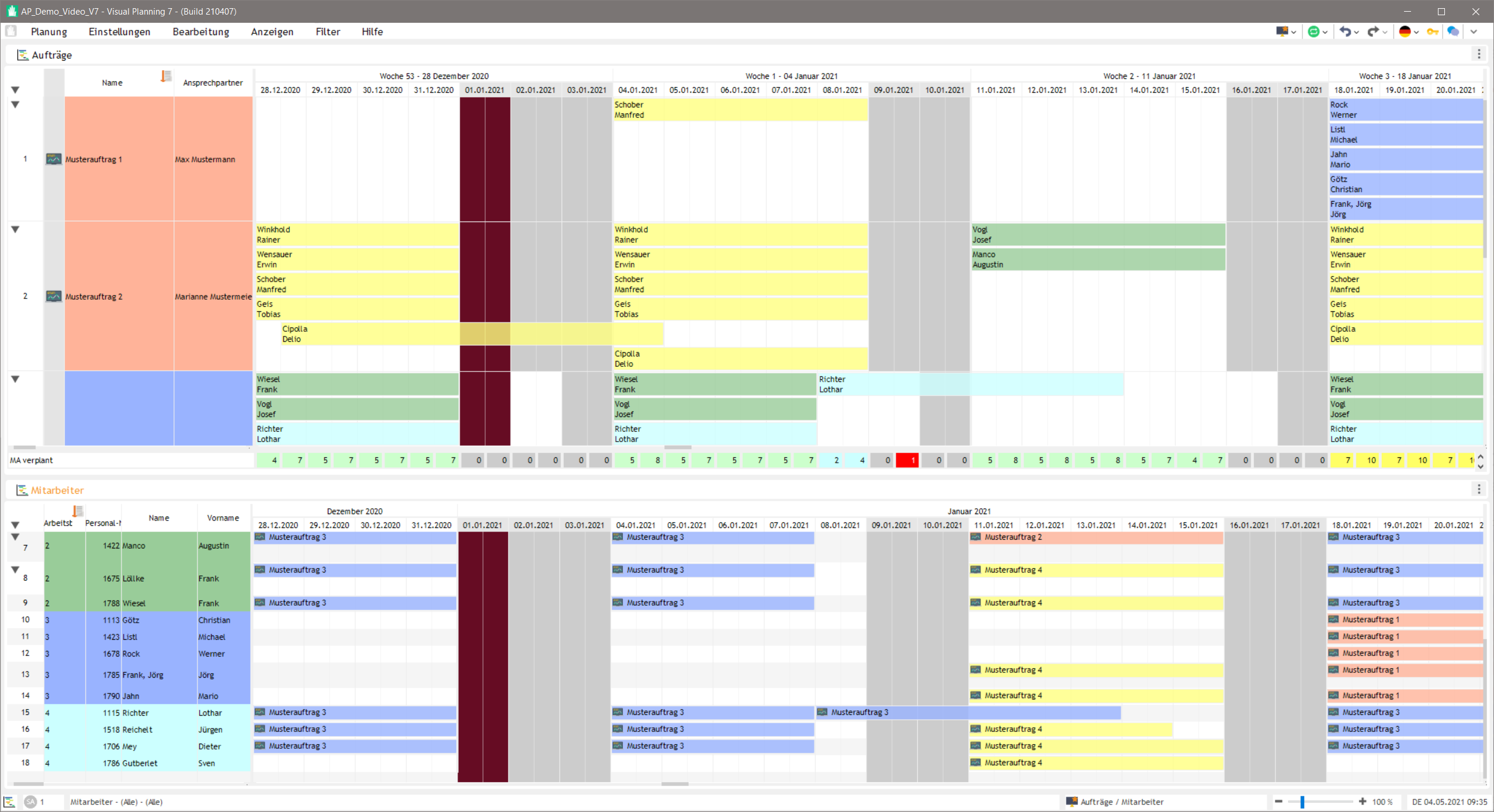

Benefits of digital resource planning
Visual Planning® provides a centralised overview of appointments, resources, capacities and responsibilities.
- Customisable planning views
- Overview of deadlines, progress and capacity utilisation
- Easy editing via drag-and-drop
- Shared access for authorised users
- Role and authorisation concepts
- Browser-based access via VPPortal
- Mobile tasks and feedback via VPGo
- Calendars, working hours, absences and shift patterns
- Notifications and rule-based workflows
- Reports, key figures and dashboards
This enables planning managers to identify bottlenecks at an early stage, assess changes more quickly and allocate resources in line with requirements.
Access planning information whilst on the move
Visual Planning® offers various access options for administration, planning, browser-based use and mobile tasks.
VPDesk is used for comprehensive planning, administration and configuration. With VPPortal Authorised users can access shared plans via a web browser.
VPGo supports selected mobile tasks and feedback. Field staff, service technicians and mobile teams can thereby, for example, access appointments, tasks and assignment details on suitable devices.
The available range of functions depends on the component used, the configuration, the technical deployment and the user rights assigned.

Are you still unsure which solution is right for your needs? Our Decision-making guide for resource planning helps you to systematically compare Excel, ERP/PPS and specialised resource planning software, as well as costs and operating models.
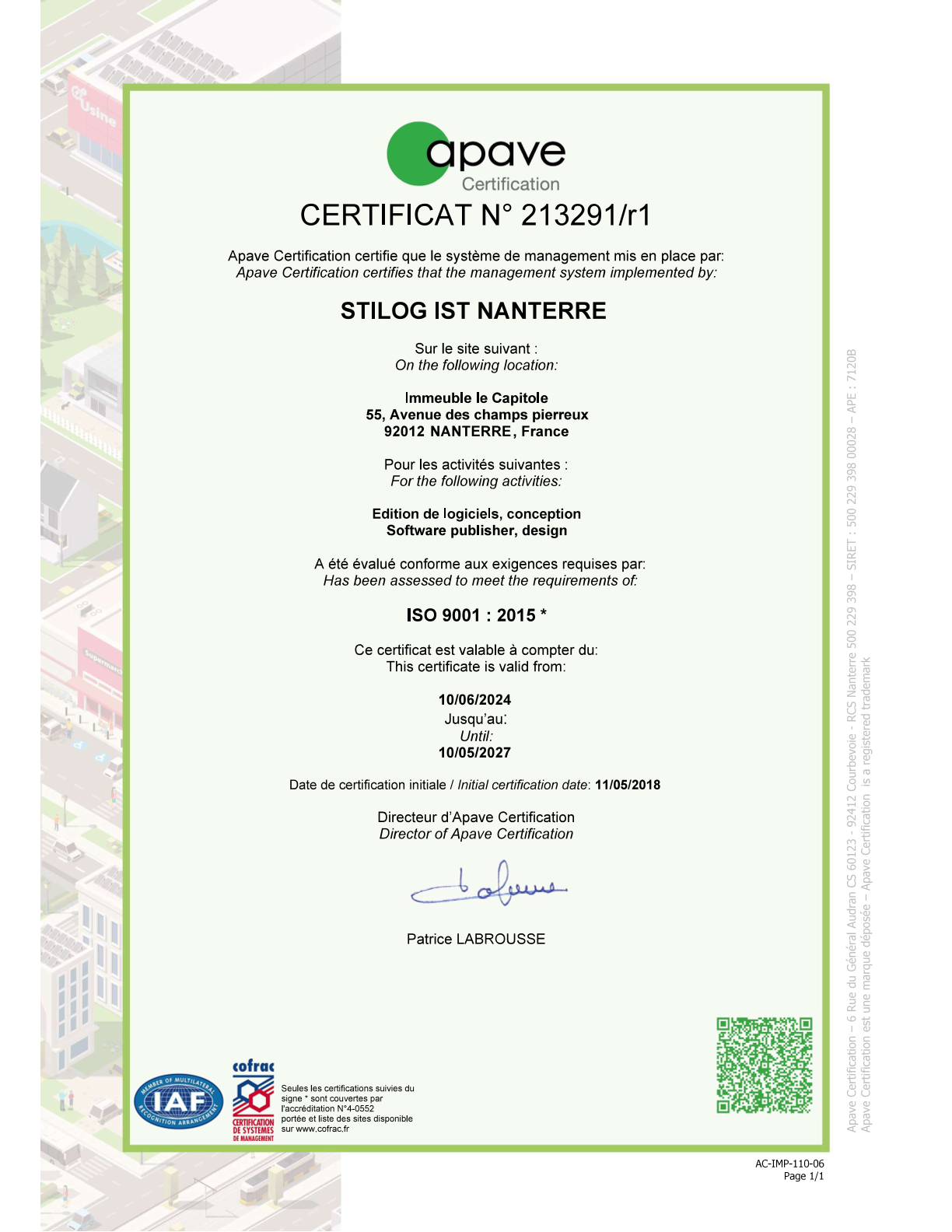
Certified quality processes
The manufacturer, Stilog I.S.T., is certified to ISO 9001:2015. The quality management system for the development and release of the software was certified by the certification body Apave Checked.
The certification confirms that the manufacturer employs documented quality processes and operates in accordance with internationally recognised standards.
For specific implementation within your organisation, the following factors are also taken into account: the chosen operating model, the technical environment, user rights, data backup and internal security policies .
Discover Visual Planning® for yourself
In a no-obligation online demonstration, we’ll show you how Visual Planning® can be used to plan your staff, projects, machines, vehicles or other resources.
Key features at a glance

Track and organise plans
Track projects, orders and deadlines, allocate resources and keep an eye on progress, capacity and utilisation levels.

Flexibly configurable
Customise resources, data fields, views, colours, status values and rules to suit your business requirements.

Drag-and-drop planning
Move, extend or assign planning entries directly within the graphical planning board.

Working together
Authorised users work simultaneously with a shared database and can see the latest changes to the schedule.

Roles and user permissions
Create user groups and define which data, views and functions are available to the respective users.

Calendar and working hours
Take into account shift patterns, working hours, absences, public holidays and country- or team-specific calendars.

Reports and dashboards
Present planning information, capacity utilisation and key performance indicators in reports and clear, easy-to-read dashboards.

Different access options
Use VPDesk for comprehensive planning and administration, and VPPortal for browser-based access to shared plans.

Mobile use
Make selected tasks and planning information available via VPPortal or VPGo mobile, depending on the configuration.

Modular and expandable
Expand the solution step by step to include more users, resources, planning areas and additional modules.

Notifications
Keep users informed about relevant dates, tasks, changes, deadlines and decisions that need to be made.

Integration into existing systems
Visual Planning® can be connected to ERP, CRM, HR and other specialist systems via import and export functions, database access or customised interfaces.
Interfaces and ERP integrations
Visual Planning® can be integrated into existing ERP, CRM, HR, production, service and industry-specific systems. In projects already completed, interfaces to the following systems, amongst others, have been implemented:
Visual Planning enables bidirectional data exchange with SAP, Abacus, Microsoft Dynamics, baubit and m-soft. Data can be imported from the respective system into Visual Planning and exported from Visual Planning back to the source system.
- Abacus
- SAP
- Microsoft Dynamics
- baubit
- m-soft
- Other bespoke ERP and industry-specific systems
Depending on the system and project, data such as customer, employee, order, production, service, resource and operational data can be imported into Visual Planning®. Planning results, reservations, status information, confirmations or time data can be returned to the leading system as required.
Technical implementation depends on the respective system environment and may, for example, be carried out via:
- APIs and web services
- Database accesses
- File import and file export
- custom data transfers
- Webhooks
- Excel import and Excel export
- Calendar synchronisation via iCal
The systems mentioned are project interfaces that have already been implemented. This does not automatically imply that a generally available standard connector exists. The specific implementation depends, among other things, on the version used, the available interfaces, the data fields, the data direction, the synchronisation intervals and the requirements regarding security and error handling.
Integrations with other ERP and industry-specific systems can also be assessed on a project-by-project basis. Before a project begins, we work together with the relevant IT department to determine which data is to be exchanged and in which direction, at what intervals updates are to take place, and what technical requirements apply.
Try Visual Planning® with no obligation
We will show you Visual Planning® in a personalised online demonstration and then provide you with a free trial.
We would be happy to advise you in a face-to-face meeting
We also offer a free, no-obligation online demo or trial of our planning board software. Please contact us if we can assist you with your planning processes.
See for yourself
We offer you a personalised online demo followed by a free trial period.