

The complete online solution for personnel management
Visual Planning® supports digital HR management by centrally managing and clearly presenting qualifications, working hours, holiday and absences, training, certifications and workload. This provides managers with an up-to-date basis for proactively planning staffing requirements, further training and available capacity.
How you can improve your staff management
Staff, skills and available capacity are among a company’s most important resources. To make effective use of them, HR managers and managers need an up-to-date overview of availability, tasks, absences and current assignments.
At the same time, training courses, certifications, appraisal cycles and other employee-related information must be taken into account. If this data is maintained in multiple tables or applications, discrepancies in information levels can quickly arise.
Visual Planning® brings together staff data relevant to planning in a centralised and customisable overview. This enables teams, tasks, deadlines and capacities to be coordinated more transparently.
Which data is maintained directly in Visual Planning® or imported via interfaces from existing HR, time management or ERP systems depends on the business requirements.
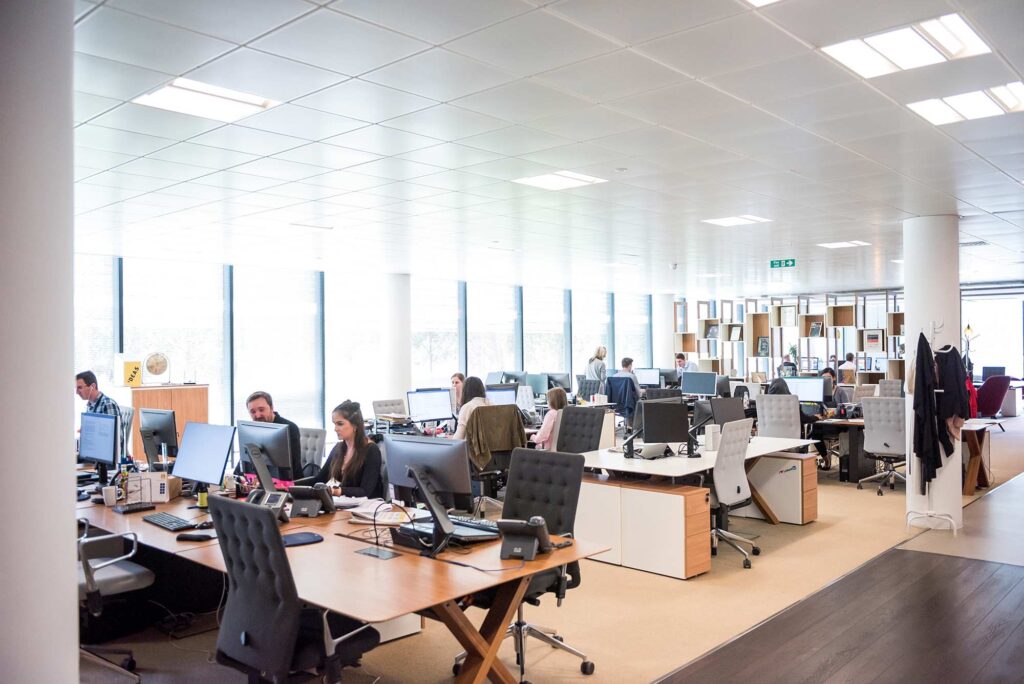
Making personal information usable for planning
Visual Planning® can display staff, teams, tasks, availability and planning-relevant attributes in various views.
Depending on the configuration, factors such as working hours, absences, qualifications, training, certifications and existing assignment allocations can be taken into account.
Utilisation and capacity views help planning managers to identify free time slots and potential overloads. However, they do not replace the professional judgement of HR managers and senior management.
User and access rights determine which information individual users are permitted to view or edit. This allows sensitive or unnecessary data to be restricted in accordance with the respective role.
Changes to the schedule are made centrally available to authorised users. This helps to minimise discrepancies between spreadsheet entries and the occurrence of duplicate task lists.
Key functions in human resources management
The functions used depend on the HR processes, the available data and the specific configuration of Visual Planning®.
Staff overview
Employees, teams, departments and other organisational units can be displayed centrally .
Qualifications
Skills, training, certificates and other employee attributes can be taken into account depending on the configuration.
Absences
Holidays, training courses and other absences can be incorporated into the schedule as appointments or availability information.
Capacity planning
Planned workloads and available capacities can be displayed for employees, teams or departments.
Tasks and assignments
Staff can be assigned to projects, tasks, shifts, appointments or work locations.
Reports and analyses
Planning data, capacity utilisation and status information can be analysed in configurable views and reports.
Present working hours and duties transparently
Planned and recorded times can be linked to tasks, projects or other planning information, depending on the process set up.
Tasks and time periods can be displayed in a graphical schedule and assigned to authorised staff or teams.
Whether Visual Planning® is used as the primary system for time data or imports data from an existing time-recording application is determined on a project-by-project basis .
Feedback, status updates and processing times can serve as a basis for reports and analyses, depending on the configuration.
Combining human resources management and workforce planning
Human Resources Management provides planning-related information on staff, qualifications and availability. The staff deployment planning system uses this data for the specific allocation of staff to tasks, shifts, projects or locations.
By displaying them side by side, requirements and available staff can be compared more easily.
Depending on the configuration, planning rules may indicate missing qualifications, absences or existing bookings.
Further information can be found at Staff deployment planning .
Planning training courses, qualifications and certifications
Qualifications and further training can be linked as planning-relevant information to staff, tasks and dates.
- Staff and Teams
- Qualifications and skills
- Training and further education dates
- Certificates and validity periods
- Appraisal and review cycles
- Absences during training courses
- Training rooms and equipment
- Trainers and key staff members
- Tasks and preparatory work
- Documents and supplementary information
- Status and participation information
- Reports and schedule overviews
Visual Planning® is not a predefined human resources information system. Which employee data, documents and processes are mapped is determined in accordance with operational requirements and data protection regulations.
Frequently asked questions about digital HR management
What is meant by digital human resources management?
Digital HR management refers to the centralised management and planning of staff, teams, skills, availability and other planning-related HR information using software.
What tasks does human resources management involve?
This includes, amongst other things, the management of staff data, qualifications, absences, training, capacities and assignments relevant to planning.
Why is digital HR management important?
A central overview improves transparency regarding staff, availability and qualifications. Changes and potential bottlenecks thus become apparent more quickly.
How does digital HR management work?
Staff, teams and planning-related information are consolidated in configurable views. Authorised users can edit data and assignments centrally.
What are the benefits of digital HR management?
It creates a common information base for HR managers, executives and planning managers. This helps to reduce the number of lists maintained in multiple places and discrepancies in planning statuses.
Why is Excel often not sufficient for complex HR management?
With a large number of staff, varying skill sets and last-minute changes, multiple spreadsheet versions can quickly accumulate. Dependencies and overlaps must be checked manually.
What are the drawbacks of using Excel for staff planning?
Changes often have to be updated across multiple files . This can lead to version conflicts, transcription errors and incomplete information.
How can staff be scheduled in a clear and organised manner?
Employees can be assigned to teams, projects, tasks, shifts or work locations in a digital planning board.
How can capacity bottlenecks be identified at an early stage?
Utilisation and capacity views compare existing bookings with available time slots. This makes potential bottlenecks visible as early as the planning stage.
How can double bookings be detected?
Existing allocations and availability are displayed centrally . Configurable alerts can indicate scheduling conflicts.
How does HR management support shift planning?
Staff and teams can be assigned to shifts or defined periods of work. Working time and shift rules must be configured in accordance with the company’s operational requirements.
How do you plan several teams at the same time?
Multiple teams, departments, projects or locations can be displayed in shared or separate views and planned in parallel .
How does digital HR management help with last-minute changes?
Absences, new tasks, rescheduled appointments and changed priorities can be entered centrally and taken into account in the planning.
How does human resources management support capacity planning?
Planned bookings and available capacity can be displayed and analysed for employees, teams or departments.
How can holiday periods and absences be taken into account?
Absences can be entered as appointments or availability information, or imported via an interface from another system.
Can qualifications and certificates be managed?
Qualifications, training courses, certifications and validity periods can, depending on the configuration, be stored as employee attributes and taken into account during planning.
Can digital HR management be used on mobile devices?
Depending on the licence, configuration and system environment, shared planning information can be accessed via a web browser or on suitable mobile devices.
What are the benefits of a hosted solution?
A hosted solution provides Visual Planning® in a centrally managed system environment. Access, data backup, responsibilities and possible interfaces depend on the chosen hosting model.
Which businesses is digital HR management suitable for?
It is suitable for industry, manufacturing, services, the skilled trades and other businesses with several employees, teams, skill sets or concurrent areas of operation.
How does digital HR management improve transparency?
Staff, teams, availability, qualifications and capacities are displayed in a central planning view. This enables authorised users to work on the basis of a shared set of information.
How does digital HR management reduce planning errors?
Centralised data management, traceable changes, planning rules and transparent deployment overviews can help to reduce double bookings, data transfer errors and communication problems.
Try out our HR management software for free
Request demo access and take a comprehensive look at the software solution