

Resource planning software for staff, machines and projects
Visual Planning® is a configurable resource planning software solution for businesses that wish to plan staff, machinery, vehicles and projects together. Check availability and capacity, allocate resources to specific jobs and centrally adjust assignments in the event of changes.
Is the resource planning software suitable for your business?
Visual Planning® is suitable for operational planning involving multiple resource types, shared capacities and frequent schedule changes. A typical workflow: a job requires a qualified team, an available machine and a free time slot.
- Check availability: View calendars, absences and existing bookings together.
- Allocate resources: Select the team and machine based on the maintained requirements and assign them to the order.
- Reschedule in the event of changes: In the event of a cancellation or rescheduling, consider alternatives and update the plan centrally.
Which conflicts are checked automatically depends on the data and configuration. To help you choose the right solution, our A guide to choosing resource planning software a comparison with Excel and ERP/PPS. In a Demo featuring your planning process We will review the specific implementation.
Staff, machinery and vehicles must be suitable for the same assignment
A simplified example: An assembly job is scheduled for Tuesday. The team is available, but the required machine has a maintenance window and the vehicle has already been allocated to another job. An isolated staff schedule only shows the available team. Integrated resource planning displays the allocations and calendars of the required resources in the context of the assignment.
The scheduler checks another time slot or alternative resources. Whether warnings appear for these conflicts and which assignments are changed together is configured; automatic optimisation is therefore not guaranteed. The practical example WALO: Jointly schedule staff and stock In an interview from August 2018, it documents the joint planning and overview of machinery and lorries.
When is additional resource planning not necessary?
If your duty roster, ERP/PPS or project management tool already reliably maps out deployment, including the required resources, availability and last-minute changes, your existing solution may be sufficient. Before implementing a new system, check which functions are missing and assess the effort involved in set-up, data maintenance and interfaces. The Product overview with criteria for duty roster planners, ERP/PPS and project tools This helps with the classification.
Operational resource planning with Visual Planning®
In day-to-day operations, available resources must be allocated to specific orders, projects, tasks, shifts and deadlines. Visual Planning® brings together the planning information required for this in configurable views.
We explain the general definition, objectives and technical principles in the Glossary of resource planning terms. This page focuses on the operational planning functions.
Typical operational tasks include:
- determine the availability of staff, machinery and other resources,
- Select resources based on qualifications and requirements,
- Allocate orders, projects, tasks and deadlines,
- Take into account absences, maintenance and restricted periods,
- Identify overlaps and capacity shortfalls,
- Adjust priorities and allocations at short notice.
The checks, views and warnings available depend on the data maintained and the specific configuration.

Learn about operational resource planning
We’ll show you how your resources, orders and appointments can be coordinated within a specific operational workflow.
Check availability and bookings
Visual Planning® displays scheduled assignments, free time slots and absences in the calendar and planning views configured for this purpose.
- Show available and booked time slots
- Take into account holidays, sickness, maintenance and restricted periods
- Understand existing mappings
- Analyse capacity utilisation by time period, team or resource
- Provide updates centrally to authorised users
Matching resources and requirements
Orders and tasks may include requirements such as time period, qualifications, location, equipment or required capacity. Resources can be filtered, grouped and allocated according to these criteria.
Configured rules can flag missing availability, overlaps or unsuitable assignments.
The software supports the review process. Prioritisation and approval remain technical decisions to be made by the relevant planning managers.
Distinction from strategic resource planning
Strategic resource planning takes into account long-term requirements, capacities and skills. For example, it determines which resources need to be developed for future projects or business objectives.
The Visual Planning application described here comes into play later: during the specific operational allocation within the ongoing planning process.
Operational planning in day-to-day business
Staff, machinery, vehicles and other resources are allocated to orders, projects, tasks, shifts or appointments.
In the event of absences, rescheduled appointments or new priorities, authorised users can adjust assignments and time periods directly.
Planning rules can flag double bookings, insufficient capacity, unsuitable qualifications or blocked time periods.
Functions for operational resource planning
The following functions are configured in Visual Planning® in accordance with business processes, data and planning rules.
Resource Overview
Staff, machinery, vehicles and other resources are displayed in centralised views.
Availability
Assignments, absences, maintenance and closure periods can be taken into account during planning.
Task planning
Resources can be allocated to tasks, projects, orders, shifts and time periods.
Capacity planning
Allocated and available capacity can be displayed for individual resources, teams or resource pools.
Qualifications
Qualifications, authorisations and equipment can be taken into account depending on the configuration.
Flexible rescheduling
Tasks and resource allocations can be centrally adjusted in the event of changes.
Warnings
Planning rules can flag double bookings, overlaps or capacity shortages.
User rights
Visibility and editing options can be restricted in line with the users’ tasks.
Reports
Capacity utilisation, assignments and other planning data can be analysed in customised reports.
Planning views by task and role
The same planning data can be presented from different perspectives. Depending on the task at hand, the focus may be on projects, staff, machines, vehicles, orders or time periods.
Filters, groupings, colours, statuses and visible fields are configured in line with the operational process.
Planners, for example, work with detailed allocations, whilst team leaders and management receive summarised overviews of capacity, status and utilisation.
For more detailed information on staff planning, please read on at Staff scheduling with Visual Planning®.
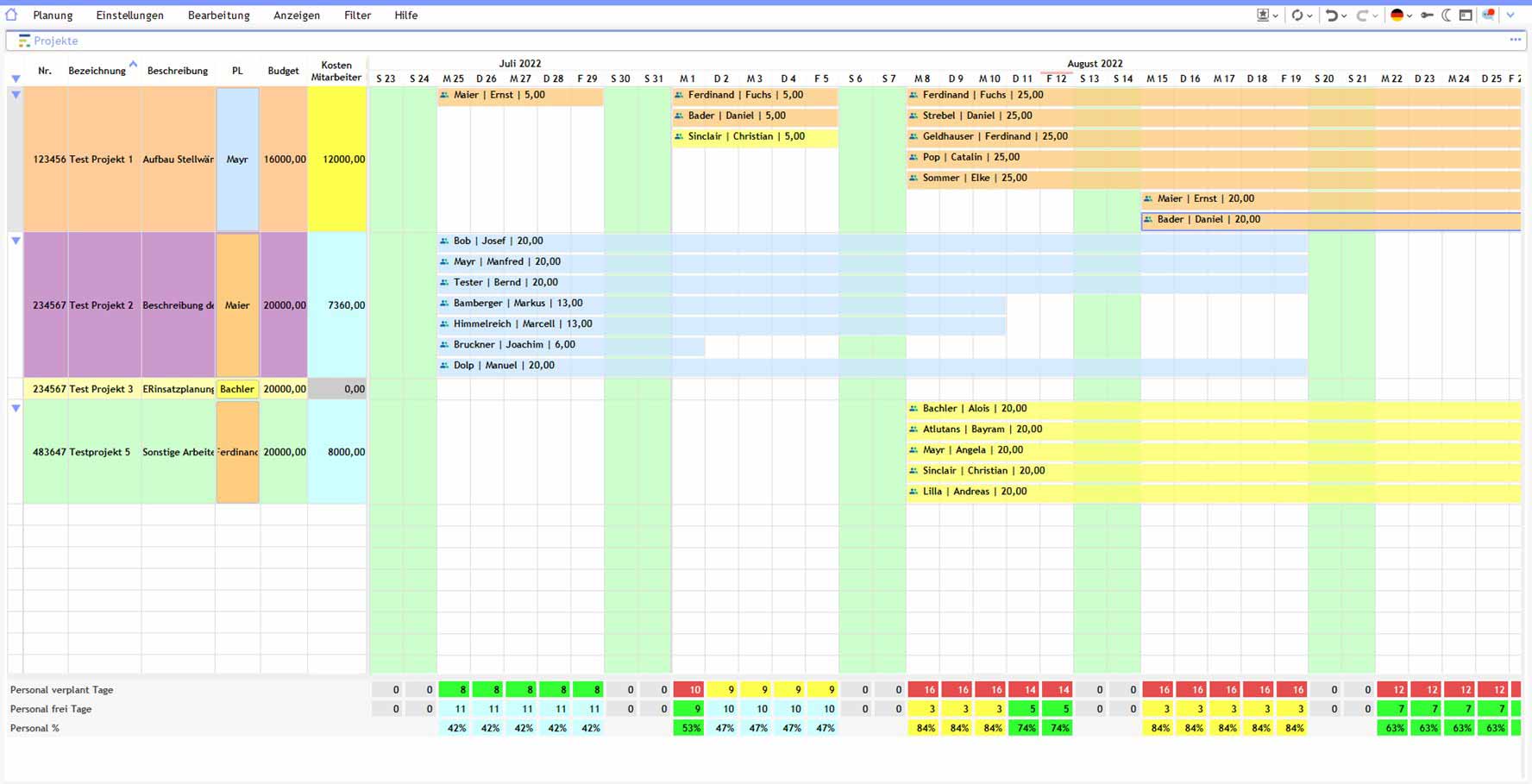

Co-ordinating different resources together
Visual Planning® is not limited to a single type of resource .
Depending on the use case, the following resources, amongst others, can be scheduled:
- Staff and Teams
- Machinery and plant
- Vehicles and trailers
- Tools and equipment
- Rooms and workstations
- Materials and equipment
- external service providers
- Project and pool resources
Resource types, attributes and views are configured in accordance with the company’s requirements.
Provide targeted planning information
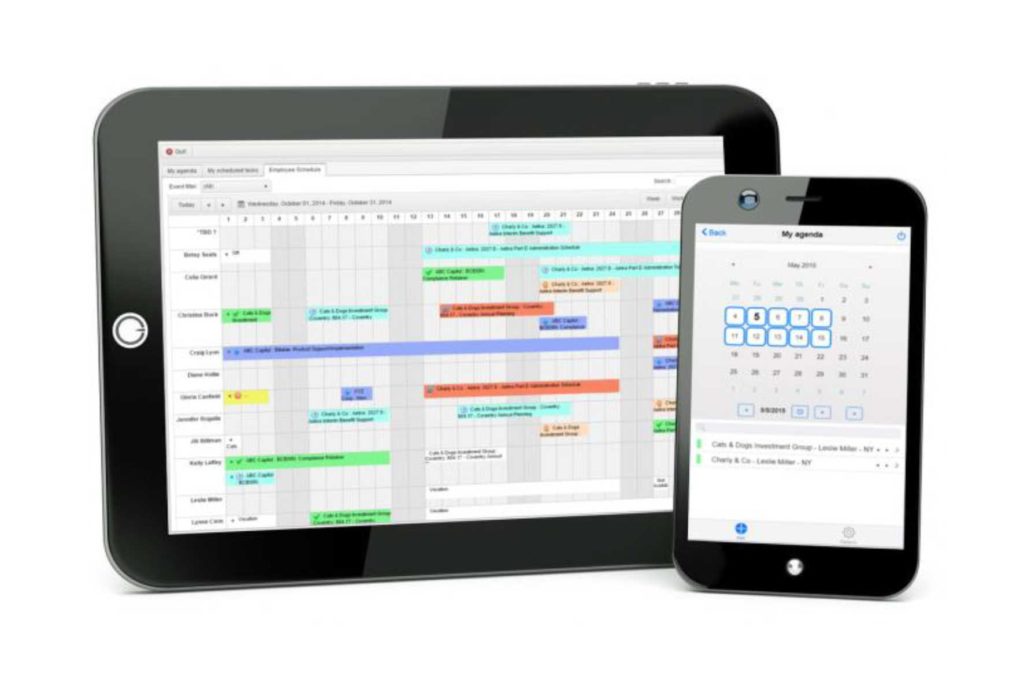
Depending on the licence, client and system environment, authorised planning information can be made available via desktop, browser or suitable mobile devices.
User rights determine which assignments, tasks, projects and resources a user is permitted to view or edit.
Feedback and status changes can only be recorded if the relevant process and the required fields have been configured.
Full offline operation with subsequent automatic synchronisation cannot be assumed as a general rule.
Try out operational planning in a demo
Using your resources and planning rules as a basis, we will show you how Visual Planning® can map out a specific operational process.

Planning views for different roles
- Planners can view detailed allocations, conflicts and available time slots.
- Team leaders receive overviews of tasks, status and workload.
- Staff can view approved assignments and appointments.
- Managers can use summarised capacity and status views.
- User rights restrict visibility and editing capabilities.
- Changes can be traced back to a shared data source.
Which information is actually assigned to a role is defined in the authorisation and view concept.
Linking operational planning areas
Visual Planning® can map operational allocations from various planning areas onto a common data foundation.
- Project planning
- Staff deployment planning
- Machine planning
- Fleet planning
- Pool Resource Planning
- Capacity planning
- Order planning
- Shift and deployment planning
Integrate with existing systems
Resource, project, order and staff data can be imported from existing applications depending on the specific project.
Planning information and feedback can also be transferred to other systems, provided that suitable interfaces are available.
The nature, direction and update frequency of the data exchange are defined during the requirements and interface analysis .
Visual Planning® can thus enhance existing systems with flexible, graphical views of resources, capacity and scheduling .
Requirements and limitations
Availability, capacity and alerts are only as reliable as the underlying calendars, master data and planning rules.
Qualifications, machine capabilities, absences and interface data must be maintained or transferred in full and kept up to date.
Visual Planning® can highlight conflicts and support alternative planning options. However, the software does not prioritise orders or resources without predefined rules, and does not replace professional approval.
The functions available in each specific case depend on the licence, configuration, user rights and connected systems.
Further information on selecting software
This page describes the operational use of Visual Planning®. If you would first like to compare Excel, ERP/PPS and specialised planning software in general, please use our Decision-making guide for resource planning.
Questions regarding operational functions
Can Visual Planning® detect double bookings?
Configured rules can flag time overlaps, lack of availability or capacities that are already booked. Which conflicts are checked depends on the data model and the rules that have been set up.
What data is required for operational resource planning?
At a minimum, resources, calendars or availability, and the jobs, tasks or appointments to be scheduled are required. Qualifications, locations, capacities and other requirements can also be taken into account.
How are last-minute changes implemented?
Authorised users can amend time periods, priorities and resource allocations in the views provided for this purpose. The input options available depend on the configuration.
Can qualifications and machine capabilities be verified?
Qualifications, authorisations, equipment or machine capabilities can be stored as attributes and used for filters, assignments and alerts.
Does Visual Planning® automatically calculate available capacity?
Available and booked capacity can be calculated and displayed once working hours, calendars, absences, bookings and the required calculation rules have been fully configured.
How up to date is the planning data displayed?
Changes saved directly in Visual Planning® are available centrally to authorised users. For connected systems, the timeliness of the data depends on the defined data exchange and its frequency.
Related operational planning areas
Depending on the process, operational resource allocations are linked to other planning areas:
The Project planning assigns tasks, deadlines and resources to specific projects.
The Staff deployment planning takes into account staff, shifts, absences, work locations and qualifications.
The Machine planning coordinates production orders, plant, maintenance, set-up times and operators.
The Production planning links resources to manufacturing processes and production orders.
Planning Pool resources supports the flexible allocation of shared staff, vehicles, machinery, rooms and equipment.
Operational resource planning with Discover Visual Planning®
We’ll show you how Visual Planning® can map your resources, orders, availability and planning rules within an operational workflow.
Operational resource planning in manufacturing, services and construction
Depending on the area of application, resources are allocated with varying degrees of specificity: The Detailed planning in production links work processes to machines and time slots; the Maintenance and repair planning coordinates plant, technicians and maintenance windows.
Practical examples for various areas of focus are provided by the WALO Case Study for planning staff and stock, which HOMAG Case Study for global technician deployment planning and the GROB Case Study for cross-site resource planning.