

New features in Visual Planning Version 8
New features: Visual Planning VP8 impresses with new functions and has recently become available. Whether as a new installation or an upgrade, the benefits of the resource planning software have been further enhanced.
Discover the following highlights – new features in VP 8
And if you’re already using Visual Planning, you can further enhance these benefits with Version 8:

1. Resource management
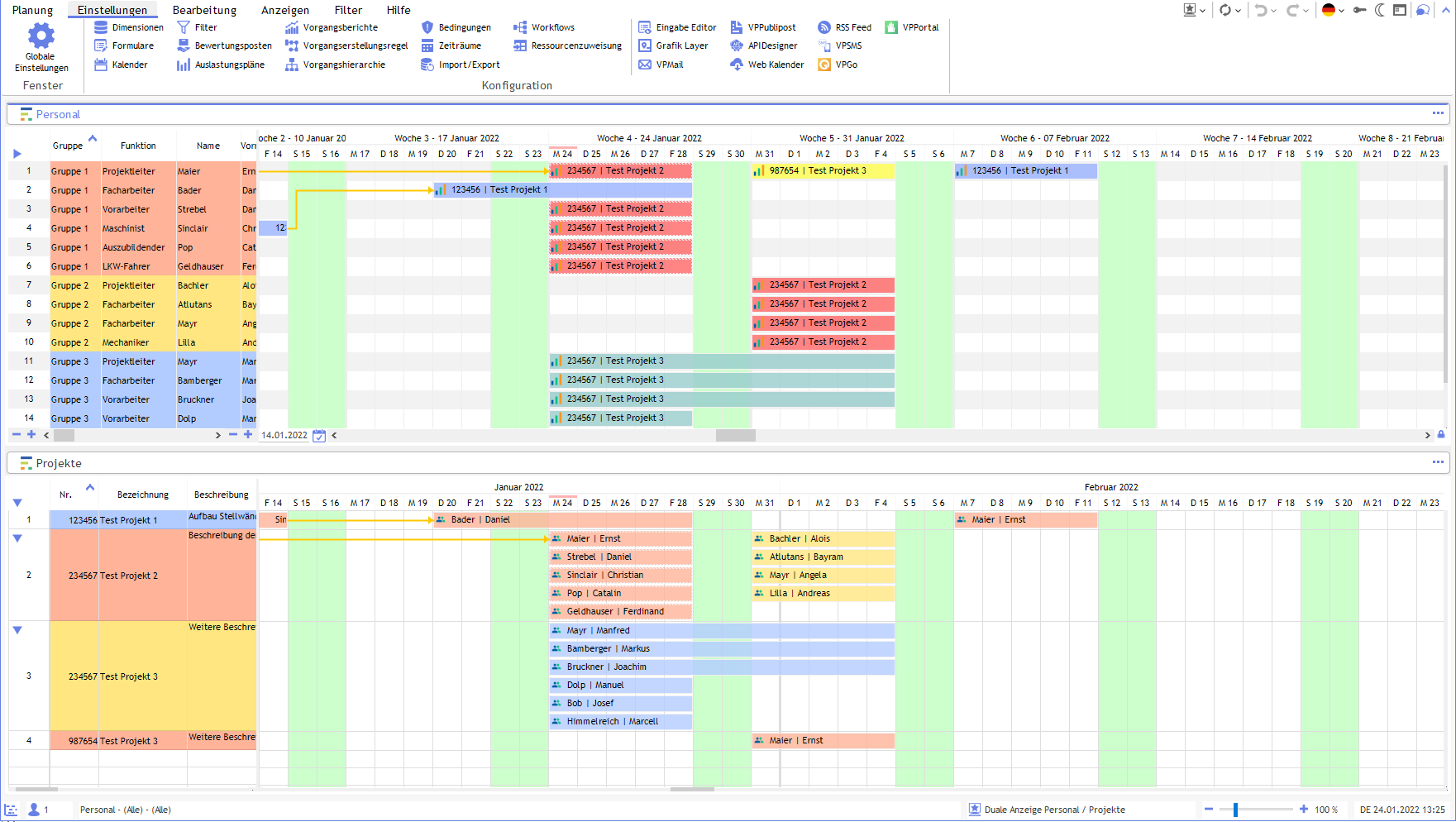
This means smarter assignments based on skills and client resource rules. Thanks to the bidirectional assignment context, users can quickly find the right staff for every task. The system allows you to create conditions for both resources and task types. These conditions help to take several factors into account: Is a suitable employee already assigned to another project, or are they on holiday? What skills are required for a task or job? Which resources within your organisation can contribute these skills to the task?
Does a task, for example, require someone with a forklift licence? Or would you like to restrict certain tasks to people within your company who are authorised to handle sensitive data?
With Visual Planning 8, you can set conditions for tasks to filter resources according to various requirements. This means that someone managing a task that requires a staff member with three years’ experience and availability tomorrow can find the right staff members with just a few mouse clicks or taps on the screen.

2. Time zone-dependent planning
For teams that support remote working or utilise external resources from around the world, time zones can be a regular source of frustration. These can range from minor issues, such as accidentally scheduling a meeting when it is already midnight for certain participants, to more significant problems, such as failing to take an entire shift into account because the times overlapped when the schedule was drawn up.
Visual Planning 8 includes a time zone management feature that helps you visualise the times at which various activities are scheduled for everyone in your organisation. For example, you can easily see that an appointment between 9 am and 11 am for one office corresponds to a suitable time between 4 pm and 6 pm for another office, whilst a later appointment for one office may mean that the event in another region takes place after staff have gone to bed.
Further new features in VP8

3. Multilingual schedule views
A global approach to collaboration is not limited to time zone management. Visual Planning 8 is available in a wide range of languages, so that everyone can view the schedule views, labels and other information in their own language. This can reduce misunderstandings about schedules and boost productivity.

4. GANTT resource changes via drag-and-drop
If you are trying to plan resources for a long-term or complex project, the Gantt chart feature in Visual Planning 8 can help avoid a great deal of confusion. It allows you to view the entire project timeline to understand how long you will need various resources and when. You can drag and drop potential resources into the chart to see how different scenarios play out and whether the relevant resources will be available when you need them.

5. Visual representation of the critical path in the Gantt chart
In Visual Planning 8, you can not only map the correct resources onto your project timeline, but also make effective use of the critical path. With this upgrade, you can display the longest time path through any project directly in the GANTT chart, whilst taking into account factors such as dependencies and the maximum number of concurrent tasks.
Once you have allocated resources according to their availability, you can get a good idea of how long the project will take based on the critical path. This makes it easier to provide business partners and customers with realistic timelines. It also means you’ll know straight away whether you can meet a project deadline with the resources currently available, or whether you’ll need to reallocate resources to other projects or bring in additional resources.

6. Custom dashboards
The dashboards in Visual Planning 8 can be customised at user level, offering a new level of clarity and flexibility for staff planning and time management.
Have we piqued your interest?
Could Visual Planning be the solution for your company’s resource planning? We’d be happy to advise you on this.
You can also request a free, no-obligation online demo with a test schedule using our planning board software.